Switching Providers
How to Switch Bookkeeping Providers Without Losing Your Financial History
Quick answer
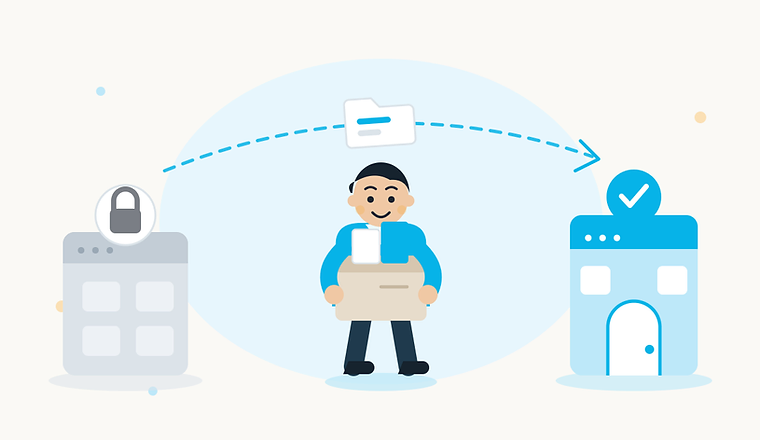
You switch bookkeeping providers without losing history by exporting (or confirming you own) your complete financial data before you give notice, timing the cutover at month-end so there is no reporting gap, and — most importantly — making sure your books live in your own QuickBooks or Xero file rather than the provider's proprietary platform. If your books are on someone else's closed system, your history can disappear the day that platform shuts down, as the 2024 shutdown of a major bookkeeping platform made very clear.
Why is switching bookkeepers so intimidating?
Most owners avoid switching for one reason: they are afraid of losing their history. They have heard the story — or lived it — of a provider that held the books hostage, or a platform that shut down, and months or years of financial records vanished overnight. The fear is reasonable. But the actual risk depends almost entirely on one thing: where your books live.
Proprietary bookkeeping platforms vs. working inside your own file
Some bookkeeping services keep your books on their own proprietary platform. You can log in and see reports, but the underlying data — your chart of accounts, every categorized transaction, your reconciliations — lives in their system, not yours. Exporting it into a usable form is often painful or incomplete.
Others (Mispar included) work inside your own QuickBooks or Xero file. Your books live in software you own and control; the bookkeeper is just a user with access. If you ever leave, you revoke access and keep everything — history, setup, reconciliations, all of it.
| Feature | Proprietary platform | Your own QuickBooks/Xero file |
|---|---|---|
| Where your data lives | On the provider's servers | In your own software account |
| If you leave | Export what they allow — often incomplete | You keep 100%, just revoke access |
| If the platform shuts down | Your history can vanish | No risk — your file is independent |
| Switching cost | Full migration, often lossy | Change one user's access |
| Your CPA's access | Whatever the platform permits | Full access anytime |
This is the single most important question to answer before you switch — and before you sign up anywhere new.
The cautionary example: the 2024 bookkeeping platform shutdown
In late 2024, Bench, a large online bookkeeping provider, suspended service without warning, and customers lost access to their books for a time. It later resumed under new ownership. The lesson is not about that one company. It is structural: when your books live on a closed system you do not control, your financial history is only as safe as that company's survival. If your books live in your own QuickBooks or Xero file, that risk simply does not exist.
A step-by-step process to switch cleanly
- 1Confirm what you own and what is exportable. Before giving notice, find out whether your books are in your own software or the provider's platform. If it is proprietary, request a full export (transactions, chart of accounts, reconciliations, statements) now — while you are still a paying customer and they are motivated to help.
- 2Pick your cutover month. Switch at month-end, not mid-month. The old provider closes one final month; the new provider picks up the next. No gap, no split month.
- 3Give notice — but keep the outgoing provider engaged. Most contracts require 30 days. Give notice, but ask them to complete the current month's close and hand off a clean, reconciled set of books as their last deliverable.
- 4Get your historical data to the new provider. If your books are in your own QuickBooks or Xero, this is instant — the new bookkeeper just gets access. If it is a proprietary system, the export from step one goes to the new provider, who imports and reconciles it.
- 5Handle any catch-up if you are behind. If the switch uncovers months that were never actually closed, line up catch-up bookkeeping before the cutover so you start clean. See catch-up bookkeeping.
- 6Confirm there is no reporting gap. The new provider should deliver the first month's reports on the normal schedule — with the prior months' balances intact, so your year-to-date numbers still make sense.
Questions to ask a new bookkeeping provider before switching
- Where will my books actually live — your platform, or my own QuickBooks or Xero file?
- What exactly can I export if I ever leave, and how complete is it?
- What is your onboarding process, and how long until my first monthly close?
- Who specifically will be my bookkeeper, and how do I reach them?
- How do you handle catch-up if my books are behind at the switch?
- What is the flat monthly fee, and what triggers a price change?
The bottom line
Switching bookkeeping providers is only risky if your books live on someone else's closed system. Work inside your own QuickBooks or Xero file, export your data before you give notice, cut over at month-end, and line up catch-up if you are behind — and the switch is a non-event, not a crisis. If you are coming from Bench or Pilot, see how Mispar compares to Bench and how Mispar compares to Pilot, and read our switching-providers FAQ for the common questions. If you are already behind, catch-up bookkeeping gets you current before the switch.
Frequently asked questions
Can I switch bookkeepers mid-year without messing up my taxes?
Yes, if you switch at month-end and the new provider receives your full historical data. Your year-to-date numbers carry over, so year-end filing is unaffected.
Will I lose my financial history if I leave a proprietary bookkeeping platform?
You might. Proprietary platforms often limit or complicate exports. That is why working inside your own QuickBooks or Xero file is safer — your history is always yours.
How long does a bookkeeping switch take?
For a business whose books are in its own QuickBooks or Xero file, often as little as a few days. For a proprietary-platform migration, expect two to four weeks depending on how clean the export is.
What if I am already behind on my books when I switch?
Line up catch-up bookkeeping as part of the switch. The new provider reconstructs the missing months first, then moves you into monthly service — so you start current.
Do I have to give notice to my current bookkeeper?
Usually, yes — most contracts require 30 days. Give notice, but ask them to complete the current month's close as their final deliverable so the handoff is clean.
Keep reading

Freelancers
Bookkeeping for Freelancers — The Complete Guide
Freelancer bookkeeping is different from standard small-business bookkeeping — irregular income, quarterly estimated taxes, and commingled accounts. Here is exactly what to track, how to separate your money, and when to stop doing it yourself.

Restaurants
Restaurant Bookkeeping 101 — What Makes It Different (and Harder)
Restaurant bookkeeping is harder than typical small-business bookkeeping — daily POS reconciliation, tips, food and beverage COGS, and reports like prime cost that a standard P&L does not give you. Here is what to track and what to demand from a bookkeeper.
Written by
Moshe
Senior Account Manager, Mispar
Moshe is a Senior Account Manager at Mispar who works directly with small business owners and freelancers to keep their books clean, reconciled, and tax-ready every month.
More about Mispar