QuickBooks & Tools
QuickBooks Online vs. QuickBooks Desktop: Which Is Right for You?
Quick answer
Both are legitimate; they’re not the same product. Here’s an honest comparison to help you choose the QuickBooks that actually fits your business.
Choosing between QuickBooks Online and QuickBooks Desktop is one of the most common questions we get from small businesses. Both are legitimate tools, but they are not the same product sold two ways — they have genuinely different strengths. Here’s an honest comparison so you can pick the QuickBooks that actually fits how you work.
The core difference
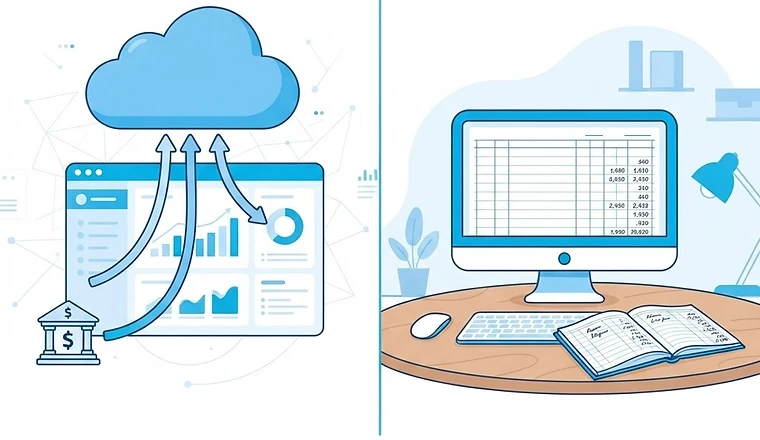
QuickBooks Online is cloud-based and accessed through a browser or app, with automatic bank feeds and real-time collaboration. QuickBooks Desktop is installed locally on a Windows computer, with stronger traditional accounting features but a more rigid, single-location workflow. Online was built for the cloud and keeps adding features; Desktop was built for power users on a single machine.
Where QuickBooks Online wins
- Access from anywhere — your bookkeeper (and you) can work on the same file simultaneously.
- Automatic bank feeds that actually keep working, with strong mobile apps.
- Easier to share with an outside bookkeeping service or CPA.
- Continuous updates and backups handled in the cloud; no manual file management.
Where QuickBooks Desktop still wins
- More advanced inventory, job costing, and reporting depth for complex businesses.
- Better handling of large transaction volumes without browser lag.
- Industry-specific editions (Contractor, Manufacturing, Nonprofit).
- Existing Desktop subscribers keep a familiar workflow and local control.
Pricing reality in 2026
It used to be that Desktop was a one-time purchase and Online was a subscription. That distinction has mostly faded — Intuit has also stopped selling new QuickBooks Desktop subscriptions to U.S. customers (the cutoff was September 30, 2024), while existing subscribers can continue under their current plans. For most new businesses the choice is now made for you, and for existing Desktop users the question is when to move, not whether Desktop is still for sale. Check Intuit's own support pages for current terms.
How to choose
If you work with a bookkeeper, travel, use a Mac, or want automatic bank feeds that don’t break, QuickBooks Online is almost always the right call — and it’s where the product investment is going. If you already use Desktop for heavy inventory or job costing and it works for you, you can keep it for now, but plan a move to Online or another cloud system. If you’re not sure, pick Online.
Common QuickBooks mistakes to avoid either way
Whatever you choose, the mistakes that hurt most are the same: ignoring bank feeds until reconciliation breaks, commingling personal and business accounts, deleting transactions instead of voiding them, and never closing prior months. Avoid those and either version will keep clean books.
A question to ask before comparing features
Before you weigh features, ask who needs to touch the books besides you. If a bookkeeper, a CPA and an owner all need current numbers, a cloud file that everyone opens at the same time saves days of emailing backups and merging changes. If one person on one computer does everything, the gap between the two products shrinks. Also ask how you plan to grow: more locations, more users and more integrations all lean toward the cloud, and that is where Intuit directs new customers.
If you are on Desktop today and it works, there is no emergency. The cleanest time to move is right after a month or year is closed and reconciled, so the new file starts from verified balances instead of carrying old errors across.
We work in QuickBooks Online and Xero and can help you migrate from Desktop if that’s the right move — or just keep your current file clean every month. Not sure which fits? Book a call and we’ll recommend the setup that matches how your business actually operates.
Frequently asked questions
Can I still buy QuickBooks Desktop?
Not as a new U.S. customer. Intuit stopped selling new Desktop subscriptions in the United States after September 30, 2024, though existing subscribers can continue under their current plans. Check Intuit's own support pages for the latest terms.
Can I move from Desktop to QuickBooks Online without losing history?
Intuit provides a conversion path, and a bookkeeper can also rebuild from opening balances. Either way, close and reconcile the final Desktop month first so the starting numbers are clean.
Which one is better for working with a bookkeeper?
QuickBooks Online is usually easier because your bookkeeper can log in directly, review bank feeds and leave notes without passing files back and forth.
Keep reading

Bookkeeping Basics
A Small Business Owner’s Guide to Monthly Bookkeeping
What monthly bookkeeping really involves, why it matters, and how to make it painless — even if you’d rather do literally anything else with your time.

Bookkeeping Basics
Bookkeeping vs. Accounting: What’s the Difference and Which Does Your Business Need?
Bookkeeping and accounting are often used interchangeably, but they’re two different jobs. Here’s what each one does, how they overlap, and which your small business actually needs.
Written by
Moshe
Senior Account Manager, Mispar
Moshe is a Senior Account Manager at Mispar who works directly with small business owners and freelancers to keep their books clean, reconciled, and tax-ready every month.
More about Mispar